Magazine cover portraits have a specific feel: confident posing, controlled light, bold composition, and a final grade that looks like it belongs on a cover. The good news is you don’t need a full crew to explore that look—you just need a clear direction and a prompt you can iterate on.
This guide shows you how to create editorial portraits with AI, without the clichés and without guesswork.
What Makes a Magazine-Style Portrait?
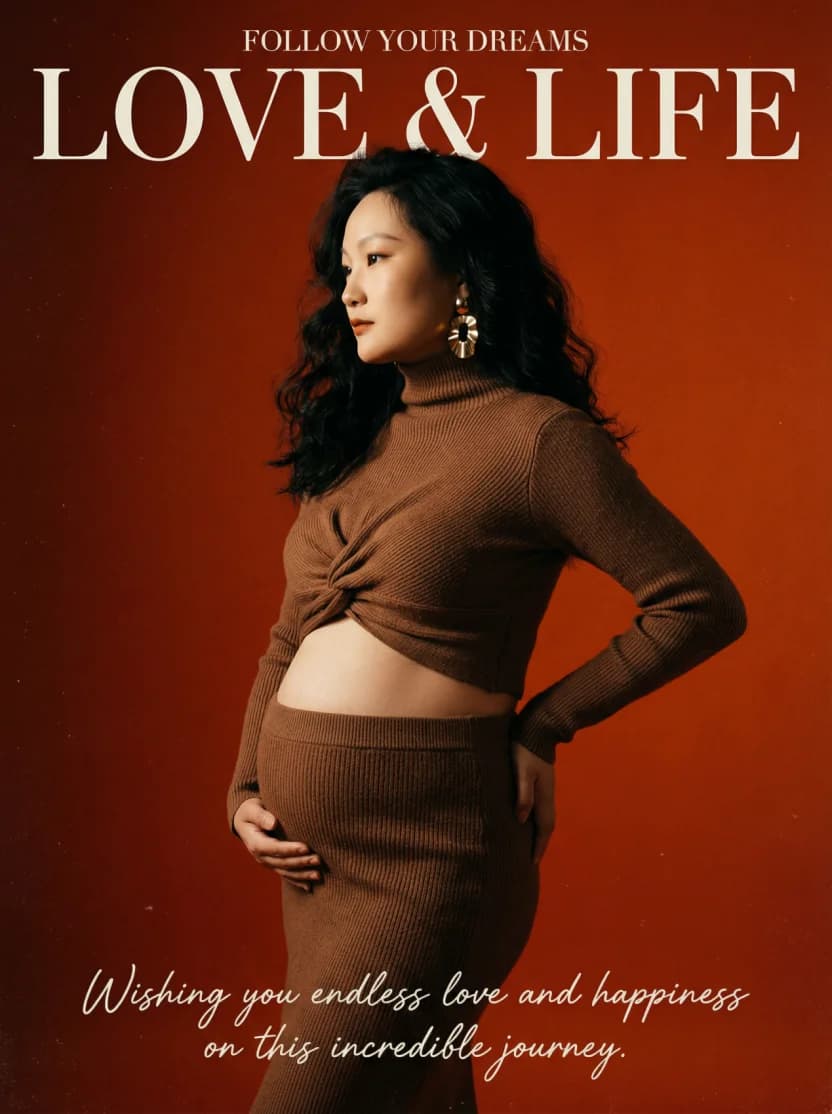
1) Lighting That Shapes the Face
- Dramatic side light to sculpt cheekbones and jawline
- Controlled shadows for depth (not flat “beauty” light)
- Catchlights to keep eyes alive
2) Composition Built for a Cover
- Strong angles and clean lines
- Intentional negative space (where cover text would sit)
- A pose that feels “directed” instead of candid
3) Styling That Reads Premium
- Simple silhouettes, high-quality textures
- Statement accessories (earrings, rings, minimal metal)
- Minimal distractions (avoid loud logos/patterns)
4) A Distinct Editorial Grade
- Slight film grain
- Rich midtones, controlled highlights
- Confident saturation (not neon)
Poses That Work (Without Looking Stiff)
- Gaze away: looking off-camera feels editorial and intentional
- Shoulders open: posture sells confidence
- Hands with purpose: touch collarbone, jacket lapel, or rest casually
- Asymmetry: shift weight to one side for a more dynamic silhouette
Color Palettes for Editorial Portraits
| Palette | Mood | Works well for |
|---|---|---|
| Deep red / burgundy | Powerful | Bold portraits, cover energy |
| Black / charcoal | Dramatic | Timeless editorial |
| Cream / warm white | Modern | Minimal “studio” looks |
| Emerald / deep green | Luxurious | Premium fashion styling |
| Orange-red | Energetic | High-impact cover frames |
How to Create Magazine Cover Portraits with 4o Image
- Open the AI Image Generator
- (Optional) Upload a reference photo to guide face, pose, or lighting
- Use a base editorial prompt (templates below)
- Generate a set of variations
- Refine one thing at a time: background color, outfit, lighting direction, typography
Prompt Templates (Copy/Paste)
Start here and customize the subject details:
“Editorial portrait, studio background, dramatic side lighting, 85mm, shallow depth of field, clean composition, subtle film grain, magazine cover vibe”
“High-fashion portrait, black outfit, minimal background, hard key light with soft fill, confident pose, premium color grading, editorial”
Typography (optional):
“Add subtle magazine cover typography, minimal sans-serif, tasteful placement, do not cover face”
Creative Uses
- Creator profile photos and channel headers
- Campaign concepting and moodboards
- Lookbook-style sets for a product launch
- Posters and cover art (with the right license)
Start Creating
Pick a palette, choose one prompt template, and generate a few variations. Once you have a strong composition, refine lighting and grade until it feels like a cover.